Run a Motel STAFF Controls and Station Map
Learn every interaction station on PC and mobile without memorizing fragile keybind rumors.
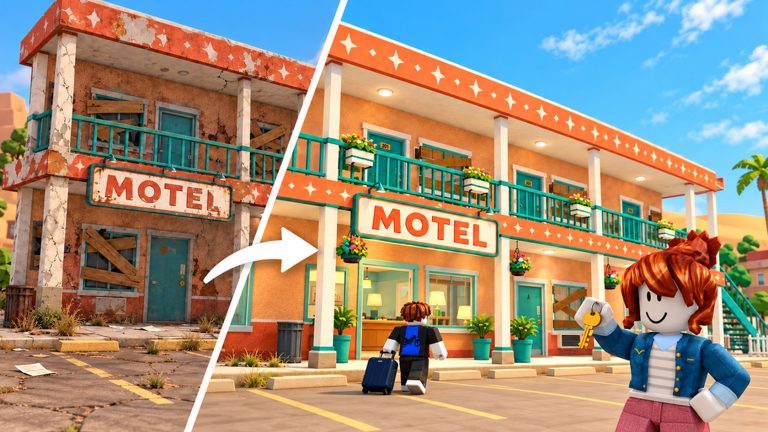
This controls guide for Run a Motel ! [EXPAND] (also searched as Run a Motel STAFF) maps the motel as a set of interaction stations rather than a brittle list of exact keybinds. Roblox UI prompts and device layouts change; the stations themselves stay stable. Master where to stand and what to finish, and both PC and mobile players can share the same mental model on servers of up to six.
Game by Dofaminum Studio, Place ID 82046305882496, launched 2026-10-18. Pair this page with Getting Started for the first-hour checklist and Cleaning Loop for route order.
How interaction works in practice
On both PC and mobile you generally:
- Walk or thumb-stick to a tool, prop, desk, or guest object
- Watch for the on-screen proximity prompt
- Confirm with the platform interact control (click / tap / contextual button)
- Hold or repeat if the action is a progress chore (cleaning, carrying)
We do not invent exact keyboard letters here. If a patch remaps binds, the station map still holds - read the live prompt above the tool.
Station: Vacuum
Where: Cleaning tools area and inside dirty rooms. Purpose: Clear floor mess so rooms can advance toward check-in readiness. Tips: Work a fixed wing order. Finish vacuum before you mentally mark a room done. In co-op, one player should own the vacuum route to avoid double-cleaning.
Station: Mop
Where: Same housekeeping toolkit family as the vacuum; used on room floors after or with vacuuming. Purpose: Finish floor cleanliness the vacuum alone may not cover. Tips: Pair mop with vacuum per room to cut backtracking once the motel grows to a second floor (see Expand Motel).
Station: Laundry
Where: Laundry machines / wash area. Purpose: Wash sheets stripped from beds after departures or during pre-shift prep. Tips: Laundry is the classic bottleneck. Start washes early, then use wait time for suitcases or coffee - not for AFK decorating. Mobile players should keep the laundry UI favored so they notice completion prompts.
Station: Beds
Where: Inside each room after sheets are clean. Purpose: Make beds so vacancies are truly guest-ready. Tips: An unmade clean room still risks reviews. Never release a room to the desk host until beds are finished.
Station: Front desk
Where: Lobby reception. Purpose: Check guests in, hand keys, match room readiness to guest types. Tips: Desk players must trust housekeeping callouts. On mobile, keep the camera angled so the queue and prompt remain visible. Never assign a dirty room just to clear the line.
Station: Suitcases / porter
Where: Lobby pile to assigned room path. Purpose: Carry luggage after check-in. Tips: Porter work is tip-sensitive. Clear bags before starting long exterior chores. In a six-player lobby, dedicate a porter during rush spikes.
Station: Coffee and phone room service
Where: Service points and ringing phone / request prompts during stays. Purpose: Mid-stay hospitality that protects tips and stars. Tips: Build routes that pass service stations between laundry checks. Ignoring phones while shopping furniture is a common money leak - see Money Farming.
Station: Furniture buy / upgrade UI
Where: In-room or motel management purchase panels for beds, lamps, sofas, tubs, and related props. Purpose: Climb Regular to Comfort to VIP grades. Tips: Buy for rooms you actively sell. Follow Room Upgrade Priority and Upgrading Rooms. Close the shop UI before the desk queue overflows.
Station: Hire staff UI
Where: Management / hire panel (exact menu label can shift after updates). Purpose: Add NPC coverage for chores you cannot click fast enough. Tips: Hire for a measured bottleneck. Read Hiring Staff and Staff Priority before spamming wages. If you use automation hubs, know that auto-hire toggles can drain cash.
Station: Exterior tools (yard, graffiti, neon, pool)
Where: Outside the building - yard debris, tagged walls, signage, pool area once unlocked. Purpose: Curb appeal and inspector readiness. Tips: Treat exterior as scheduled stations, not afterthoughts. Grounds work matters before hotel inspector energy. Open the pool only when you can keep it presentable.
PC versus mobile ergonomics
| Topic | PC | Mobile |
|---|---|---|
| Camera | Mouse look for long hall runs | Pinch/adjust often near desks |
| Multitask UI | Easier to watch chat + prompts | Favor large HUD elements; reduce clutter |
| Co-op calls | Type ready room numbers | Use short voice or preset chat if available |
| Shopping | Easy to over-browse menus | Set a buy list before opening panels |
Both platforms share the same station logic. The weaker device is the one that opens upgrade menus during a full reception line.
Suggested binding mindset (no invented keys)
- Interact = whatever Roblox shows on the prompt
- Movement = standard Roblox move controls for your device
- Camera = keep prompts readable; re-center after laundry UI
- Emotes / extras = ignore during rush; they do not clean rooms
If a YouTube video shows a specific keyboard letter, verify in your live client - this wiki prefers station truth over outdated bind overlays.
Co-op control of the map
Assign stations, not vibes:
- Vacuum/mop wing
- Laundry/beds
- Desk
- Suitcases
- Coffee/phone floater
- Exterior flex
When someone leaves, collapse roles toward desk + laundry first. Stars die when reception and sheets are abandoned together.
Practice drill (eight minutes)
- Touch every indoor station once in order: vacuum, mop, laundry, bed, desk, suitcase, coffee/phone
- Walk the exterior loop: yard, graffiti, neon, pool if open
- Open then close furniture and hire UIs without buying
- Repeat the indoor loop faster without skipping beds
New players should finish Getting Started the same day. After patches, re-walk stations using the Updates Hub checklist in case prompts moved.
Related pages
Know the stations, trust the on-screen prompts, and keep PC and mobile friends speaking the same language. That shared map is the real control scheme for Run a Motel.
Frequently Asked Questions
Quick answers for motel owners and new staff.
What are the exact keyboard controls for Run a Motel?
Use the on-screen proximity prompts in your live Roblox client. This guide maps stations (vacuum, mop, laundry, desk, and more) because exact key labels can change after updates.
Does mobile use different stations than PC?
No. Both platforms share the same interaction stations. Mobile mainly needs tighter camera and HUD management during desk rushes.
Where do I hire staff or buy furniture?
Open the in-game hire and furniture purchase panels from the motel management or in-room upgrade UIs, then close them before the reception line grows.
Which station should I learn first?
Vacuum, mop, laundry, and beds - the housekeeping set - before desk speed or exterior tools. Dirty check-ins hurt more than slow neon repairs.